
The automation of reconciliation process is technology that automatically matches and verifies financial records across multiple systems without manual intervention. Instead of your team spending hours comparing bank statements to ledgers or payment records, software does it instantly and flags mismatches for review.
Here’s the reality: traditional reconciliation is a pain. Finance teams manually pull data from different systems, paste it into spreadsheets, and hunt for discrepancies line by line. It’s error-prone, time-consuming, and doesn’t scale. Automated reconciliation fixes this by connecting your systems directly and running comparisons in real-time.
Related: Finance Operations System Integration & Reconciliation Guide
How Reconciliation Automation Actually Works
At its core, reconciliation automation connects to your financial systems—bank accounts, accounting software, payment processors, ERPs—and pulls transaction data automatically. The system then applies matching rules to compare transactions across sources.
Here’s the typical flow:
- Data ingestion: The system pulls transactions from connected sources (bank feeds, accounting software, payment platforms)
- Standardization: All data gets normalized into a consistent format so apple-to-apple comparisons work
- Matching rules: Pre-configured logic matches transactions (amount, date, reference number, parties involved)
- Exception handling: Items that don’t match automatically are flagged for human review
- Reconciliation completion: Once verified, the reconciliation is marked complete and recorded in your system
Think of it like this: instead of you and your team being the detectives manually hunting for where $500 went wrong, the system narrows it down to three specific transactions that need attention.
Why Companies Are Moving to Automated Reconciliation
Manual reconciliation kills productivity. The typical finance team spends 30-40% of their time on reconciliation alone. That’s time not spent on forecasting, analysis, or strategy.
Automated systems cut that time dramatically. More importantly, they catch errors humans miss and provide a permanent, auditable record of every match and exception.
The business case comes down to three things:
- Speed: Reconciliation that took days now completes in hours or minutes
- Accuracy: Fewer human errors means fewer rework cycles and late-night reconciliation scrambles
- Compliance: Full audit trails show exactly when, how, and why each transaction was matched. That matters for regulators and auditors
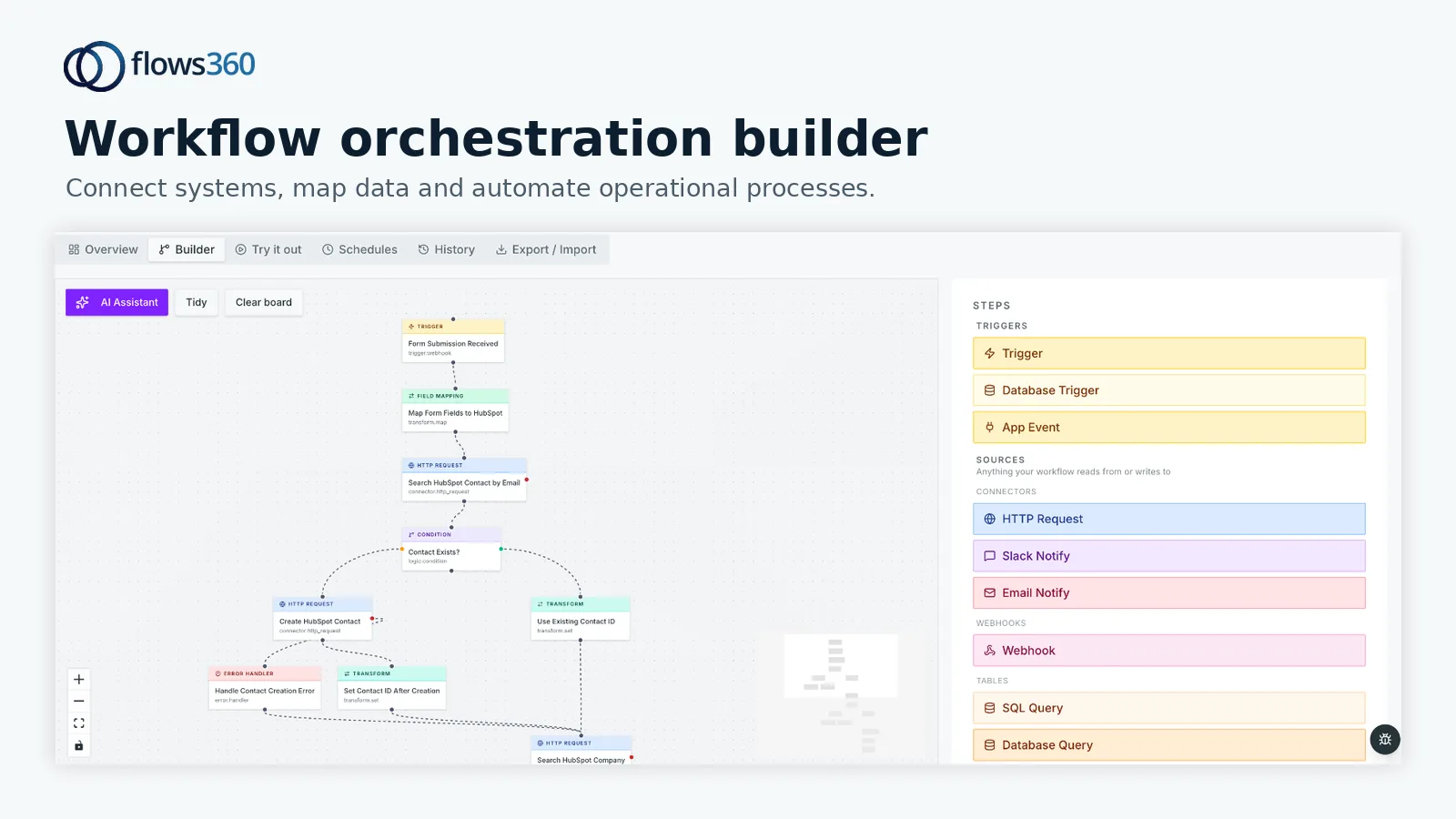
If you’re managing reconciliation across multiple revenue streams, payment methods, or business entities, automation moves from “nice to have” to essential. Flows360 helps teams build these workflows without writing code, connecting your accounting systems directly to your operational data sources.
Types of Reconciliation That Get Automated
Reconciliation automation isn’t one-size-fits-all. Different teams automate different types depending on their business model and pain points.
- Bank reconciliation: Matching your bank statement to your general ledger. This is the most common use case and usually the first one automated
- Intercompany reconciliation: Verifying transactions between different company entities or business units
- Revenue reconciliation: Matching invoices, payments, and revenue recognition across billing and accounting systems
- Accounts payable reconciliation: Matching purchase orders, invoices, and actual payments to vendors
- Customer account reconciliation: Verifying customer balances match across billing, CRM, and accounting systems
Each type has its own complexity depending on how fragmented your systems are and whether transactions always flow through the same path.
The Real Challenge: System Integration

Here’s what vendors don’t always tell you: reconciliation automation is only as good as the connections to your data sources.
If your data lives in five different systems with inconsistent formats and no shared identifier, you’ve got a matching problem. Your bank says the transaction is “Acme Corp” but your CRM calls it “ACME CORPORATION” and your AP system shows it as “Acme-US.” The automation can’t match what it can’t recognize as the same thing.
This is where Flows360 helps operations teams. Instead of treating reconciliation as an isolated accounting problem, it connects reconciliation to the broader workflow—your sales systems, your fulfillment data, your payment processors. That way, you’re not just automating reconciliation. You’re automating the entire business process that leads to reconciliation.
See where your workflows are leaking time?
The best reconciliation automation includes built-in data transformation. That means the system can normalize mismatched names, handle different date formats, and apply fuzzy matching logic so “Acme Corp” and “ACME CORPORATION” get recognized as the same entity.
What Happens to the Exceptions?
One misconception: automated reconciliation doesn’t mean zero manual work. It means less manual work on routine stuff and focused manual work on actual problems.
Exceptions—transactions that don’t match or fall outside normal patterns—still need human eyes. But now your team isn’t drowning in routine comparisons. They’re investigating genuine discrepancies.
The automation creates a dashboard showing exactly which items need attention. Instead of “We’re missing $2,500 somewhere, go find it,” you see “These seven transactions from March didn’t match. Here’s why they’re flagged.” That’s actionable.
Smart reconciliation systems let you adjust matching rules over time. If you keep seeing the same pattern of exceptions, you tweak the logic to handle it automatically next time. The system learns.
Implementation Reality Check
Rolling out reconciliation automation isn’t an overnight thing. You need to map out your current reconciliation process, identify which systems feed into it, and agree on data standards with your teams.
Most companies tackle this in phases. Start with bank reconciliation (highest volume, clearest rules), then expand to AP, AR, or revenue. Each successful phase gives you momentum and shows ROI to leadership.
The setup takes weeks, not months, if you have the right platform. But it’s not “set it and forget it.” You’re configuring matching rules, building exception handling workflows, and integrating with your accounting system. That requires coordination between finance and operations teams.
For teams juggling multiple systems and thousands of transactions monthly, this is where Flows360 makes sense. You can build end-to-end reconciliation workflows that connect your data sources, apply matching logic, handle exceptions, and post results back to your accounting system—all in one orchestrated flow with full audit visibility.
Metrics That Matter

Once you automate reconciliation, track these:
- Reconciliation cycle time: How long from month-end close until reconciliation is complete (aim for same day or next day)
- Exception rate: Percentage of transactions that require manual review (should drop as you refine matching rules)
- Team hours saved: Time previously spent on reconciliation now available for analysis or strategy
- Error rate: Unmatched items that turn out to be genuine discrepancies (should stay low with good matching logic)
These metrics tie reconciliation automation to business outcomes. It’s not about having fancy technology. It’s about closing your books faster and having confidence in your numbers.
Getting Started with Reconciliation Automation
Start by documenting your current process. Where does data come from? How are matches verified today? What happens to exceptions? Who owns reconciliation?
Then map your systems and data formats. That’s the hardest part, honestly. Once you understand your data landscape, the automation piece becomes clearer.
Next, identify your first reconciliation to automate. Pick something with high volume, consistent rules, and clear ROI. Bank reconciliation usually wins because everyone understands it and the benefits are obvious.
Finally, choose a platform that handles both the integration and the workflow orchestration. You need something that can pull data from your systems, transform it, apply matching logic, and escalate exceptions—all while maintaining a clear audit trail for compliance. That’s what Flows360 is built for: connecting fragmented systems and automating the multi-step workflows that actually run your business.
People Also Ask
What’s the difference between reconciliation and automation?
Reconciliation is the process of verifying that financial records match across systems. Automation is technology that does this matching automatically instead of manually. Traditional reconciliation requires people to compare records line-by-line. Automated reconciliation uses software to do that comparison instantly.
Does reconciliation automation eliminate all manual work?
No. It eliminates routine manual work. Exceptions and unusual transactions still need review. But instead of your team manually comparing thousands of transactions to find 10 mismatches, the system shows you exactly which 10 items need attention. That’s a huge efficiency gain.
What systems can be reconciled with automation?
Any system that produces transaction data can be reconciled. Most common are bank accounts, accounting software (QuickBooks, NetSuite, SAP), payment processors (Stripe, PayPal), billing systems, and ERPs. The key is having access to the data and clear matching rules.
How long does it take to implement reconciliation automation?
A basic bank reconciliation can be operational in 2-4 weeks. More complex setups with multiple systems might take 6-8 weeks. Most of that time is planning and integration, not the automation itself. Flows360 helps accelerate this by providing pre-built connectors and workflow templates so you’re not building from scratch.
See where your workflows are leaking time?