

QuickBooks Workflows vs Enterprise Alternatives: What You Actually Need
QuickBooks workflows are built for one thing: automating routine accounting tasks within the QuickBooks ecosystem. Invoice approvals, payment reminders, dimension-based conditions, and task routing. It works fine if your entire operation lives in QuickBooks.
But here’s the reality most operations leaders face: your accounting system is one of 8-12 disconnected platforms. You’ve got Salesforce for revenue, Stripe for payments, HubSpot for customer data, and a dozen other systems feeding information that never quite aligns. Native QuickBooks workflows can’t orchestrate across those boundaries. That’s where Flows360 and purpose-built workflow platforms step in.
We’ve tested five alternatives across real operational scenarios: invoice-to-cash workflows, multi-step approval chains, governed AI-assisted processes, and compliance-auditable automations. Here’s how they stack up.
Comparison Table: QuickBooks Workflows and Key Competitors
| Product | Best For | Rating |
|---|---|---|
| Flows360 | Multi-system orchestration & governed automation | 9.8/10 |
| QuickBooks Workflows | Native QuickBooks task automation | 7.2/10 |
| Zapier | Simple 2-app integrations | 6.8/10 |
| Workato | Hybrid iPaaS with process automation | 7.5/10 |
| MuleSoft | Large-scale API integration | 8.1/10 |
1. Flows360: Our Pick for Enterprise Workflow Orchestration
Rating: 9.8/10
Flows360 is purpose-built for operations teams who manage revenue, finance, customer success, and sales across fragmented systems. Unlike QuickBooks workflows (which operate in isolation), Flows360 connects your entire operational stack: QuickBooks, Salesforce, HubSpot, Stripe, Slack, and hundreds of other systems.
Pros:
- True multi-system orchestration. Chain actions across QuickBooks, Salesforce, HubSpot, and custom APIs in a single workflow. This is the real differentiator versus native QuickBooks automation.
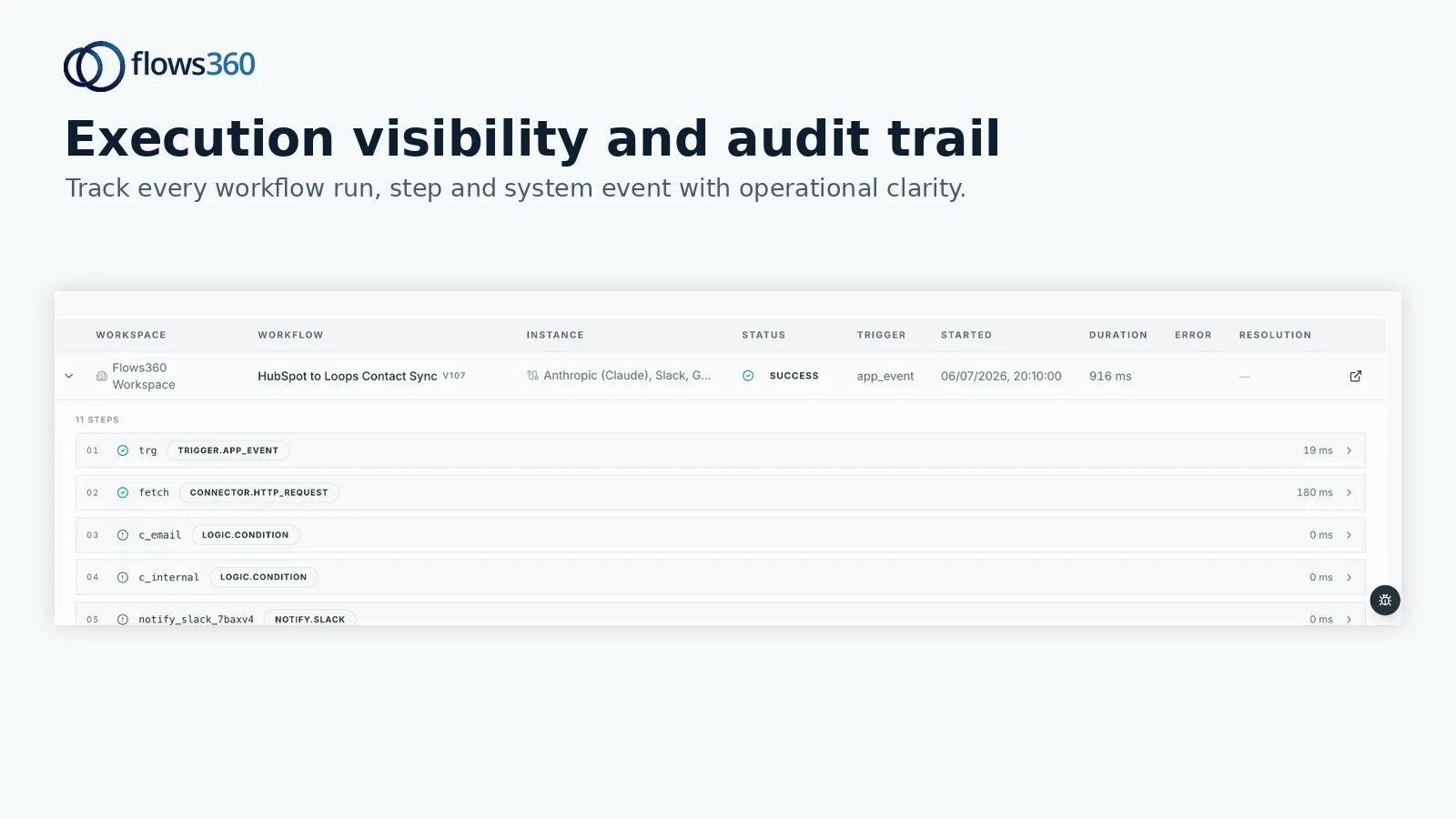
- Governed AI intelligence with real-time audit trails. Every decision is logged, every step is traceable, and you have granular control over when AI assists versus when humans decide. Compliance teams sleep better.
- Deterministic, auditable processes. No flaky retry logic. You see exactly what happened, when, and why. Critical for finance and RevOps teams under regulatory scrutiny.
- Approval routing with unlimited conditions. Not just dimension-based like QuickBooks, but role-based, amount-based, customer-segment-based, and custom logic you define.
- Real-time visibility into workflow execution. Dashboards show you bottlenecks, failure rates, and process health across all your automations. Data-driven optimization, not guesswork.
Cons:
- Higher learning curve than native tools. Flows360 requires you to think in systems, not just workflows. Worth it for enterprise teams; overkill for single-app shops.
- Requires upfront design and governance. You can’t just click “automate” and walk away. But this is also why it’s more powerful and reliable than alternatives.
Best For: Operations leaders managing multiple disconnected systems who need compliance, visibility, and the ability to automate complex multi-step workflows that QuickBooks workflows simply cannot reach.
Pricing: Custom, based on system complexity and workflow volume. Transparent per-connection and execution model. Worth requesting a demo if you’re orchestrating 5+ systems.
2. QuickBooks Workflows: Native, Limited, Free

Rating: 7.2/10
QuickBooks Workflows comes baked into QuickBooks Online at no extra cost. If your entire operation runs on QuickBooks and you’re just automating invoice approvals and payment reminders, it works.
Pros:
- Zero additional cost. It’s included with your QuickBooks subscription.
- Native integration. No API calls, no authentication hassles. Workflows understand QuickBooks data natively.
- Dimension-based conditions simplify approval rules. You can set up workflows that automatically route invoices based on department, project, or custom dimensions.
- AI-powered bank feed matching is being integrated into workflows, which helps reduce manual reconciliation time.
Cons:
- Single-system automation only. Can’t orchestrate with Salesforce, HubSpot, Stripe, or external systems. You’ll still be exporting CSVs or making manual updates outside QuickBooks.
- Limited condition types. You get dimension-based and basic field-level triggers, but nothing like custom logic, API-based enrichment, or AI-assisted decision-making.
- No audit trail or governance layer. For finance teams under compliance requirements, this is a real gap.
- No visibility into workflow health. You can’t see failure rates, bottlenecks, or execution metrics across your automations.
Best For: Small finance teams using QuickBooks as their primary system, automating simple AP and AR tasks, with no need to connect external systems.
3. Workato: Hybrid iPaaS with Process Automation
Rating: 7.5/10
Workato positions itself as an “intelligent automation platform” that blends iPaaS, RPA, and workflow capabilities. It’s more robust than basic automation tools but less specialized than enterprise iPaaS platforms.
Related: Best Enterprise iPaaS Platforms 2026: Top 5 Ranked
Related: Best RevOps Software 2026: Top 5 Platforms Ranked
Related: Best Workday Workflows 2026: Top Platforms Ranked
Related: Best Enterprise Account Platforms 2026: Top 5 Ranked
Related: Best Enterprise Accounting Software 2026: Top 5 Ranked
Related: Best ERP Support Solutions 2026: Top 5 Ranked
Related: Best Corporate Billing Solutions 2026: Top 5 Ranked
Related: Best CRM to Billing Integration Tools 2026: Top 5 Ranked
See where your workflows are leaking time?
Related: Best Payment & Invoice Reconciliation Automation 2026: Top 5 Platforms Ranked
Pros:
- Multi-system connectivity is baked in. You can orchestrate across dozens of apps and APIs with pre-built connectors.
- Process automation logic is strong. Conditional branching, looping, and error handling are more granular than QuickBooks workflows.
- Community-driven recipe library. Lots of examples and templates to get started quickly.
Cons:
- Pricing scales aggressively with volume. You pay per “task execution,” and complex workflows with multiple systems can rack up costs fast.
- Audit and compliance features are limited. If you need detailed governance trails or regulatory sign-offs, you’ll feel the friction.
- Platform can feel sprawling. The UI tries to do too much, making it harder to build focused, auditable workflows compared to Flows360‘s design-first approach.
Best For: Mid-market teams comfortable with complex platform UIs who want hybrid automation without full enterprise commitment.
4. MuleSoft: Enterprise API Integration
Rating: 8.1/10
MuleSoft (owned by Salesforce) is an enterprise iPaaS built for large-scale API management and system integration. It’s a heavyweight platform designed for IT departments, not operations teams.
Pros:
- Mature, scalable integration layer. MuleSoft can handle enormous data volumes and complex enterprise system architectures.
- Strong API gateway and governance features. If you’re managing APIs across your organization, MuleSoft excels.
- Deep Salesforce integration. If your entire stack runs on Salesforce, this integrates seamlessly.
Cons:
- Designed for IT, not operations teams. Requires developers to build and maintain integrations. No-code or low-code capability is limited compared to modern iPaaS platforms.
- Steep learning curve and high cost. MuleSoft is an enterprise platform with enterprise pricing. Not viable for mid-market RevOps or Finance teams.
- Overkill for workflow orchestration. If you need operational workflows (not just data integration), you’re paying for infrastructure you don’t need.
Best For: Fortune 500 companies with dedicated integration teams managing massive, mission-critical API networks.
5. Zapier: Simple, Surface-Level Automation

Rating: 6.8/10
Zapier is the consumer-friendly automation tool that connects two apps with simple triggers and actions. “If X happens in app A, then do Y in app B.”
Pros:
- Extremely easy to use. Zapier is built for non-technical users who just want basic automation without coding.
- Massive app library. Thousands of pre-built integrations mean you can connect almost anything.
- Affordable for light use. The free tier and entry-level plans are cheap.
Cons:
- Two-app limitation. Zapier zaps connect app A to app B. Multi-step orchestration across 4-5 systems becomes a fragmented mess of zaps that don’t talk to each other.
- No approval workflows or conditional logic. You get basic if/then triggers, not governance or complex decision trees.
- Pricing explodes with volume. Each zap counts as a separate automation, and every execution counts. Finance teams doing thousands of workflows monthly will face sticker shock.
- No audit trail or compliance controls. Not suitable for regulated finance operations.
Best For: Small teams automating simple, isolated tasks between two apps (like “new form submission to spreadsheet”).
The Bottom Line: When to Use Each Platform
If you’re asking “what’s better than QuickBooks workflows,” the answer depends on your operational complexity:
- Single-app finance shop: QuickBooks Workflows is fine. It’s free and it works for AP/AR automation within QuickBooks.
- Multi-system operations team (3+ major systems): You need Flows360. Enterprise workflows require orchestration, governance, and visibility across your entire stack. QuickBooks workflows will leave you maintaining manual handoffs and CSV exports.
- Startup or SMB doing basic two-app zaps: Zapier works. Just be realistic about scaling costs.
- Large enterprise with IT team: MuleSoft is your platform for API-first integration architecture.
- Mid-market exploring hybrid automation: Workato is a solid middle ground, but you’ll pay for the versatility.
The operations teams we work with most often started with QuickBooks workflows, realized they couldn’t connect their other systems, and spent months on workarounds before switching. If you’re managing RevOps, Customer Success, Sales Operations, or Finance across multiple platforms, you’ll hit those limits fast.
Making the Switch: What to Evaluate
Before picking a platform, audit your current workflow pain points. Ask:
- How many different systems does your workflow touch? If it’s more than one, QuickBooks workflows won’t cut it.
- Do you need audit trails for compliance? Finance teams under SOX, HIPAA, or other regulations need deterministic, logged processes.
- How many workflows are you running? Volume matters for pricing. QuickBooks is free but limited; Zapier scales poorly; Flows360 scales with your business.
- Who owns the workflow? Operations teams need intuitive, low-code builders. IT teams can handle more complex platforms.
- Do you need AI assistance with decisions, or just automation of rule-based tasks? Flows360 offers governed AI; others offer basic automation.
Get hands-on with trial environments. Most platforms (including Flows360) offer 30-day trials. Build a real workflow in each and see which feels right for how your team actually works.
Frequently Asked Questions
Can I use QuickBooks workflows to automate tasks across multiple systems?
No. QuickBooks workflows only automate within QuickBooks. If you need to sync invoice data from QuickBooks to Salesforce, or update customer records in HubSpot based on payment status, you’ll need an external platform like Flows360 or Workato.
What’s the difference between workflow automation and integration?
Integration connects systems so data flows between them. Workflow automation defines the business logic and conditions that trigger actions. Flows360 does both: it integrates your systems and orchestrates complex multi-step workflows with approval gates, error handling, and audit trails.
Is Zapier suitable for accounting workflows?
For very simple use cases, yes. “New invoice in QuickBooks, send Slack notification” works fine. But if you need approval routing, conditional logic across multiple systems, or compliance audit trails, Zapier falls short. Accounting workflows are typically too complex and too regulated.
How much does workflow automation cost?
QuickBooks Workflows: Free (included with QuickBooks). Zapier: $20-100/month for basic volumes, much higher for heavy use. Workato: $500-5,000/month depending on tasks and connectors. Flows360: Custom based on system complexity and workflow volume (request a demo for pricing). MuleSoft: $2,000+ per month for enterprise deployments.
See where your workflows are leaking time?