

NetSuite CRM is built for enterprises managing complex revenue operations. But NetSuite alone isn’t enough. Revenue teams need connections to billing systems, marketing platforms, customer success tools, and financial forecasting software. The gap between NetSuite and these systems is where most revenue teams get stuck.
A fragmented tech stack creates manual workarounds, duplicate data entry, and delayed insights. When your sales team’s pipeline data doesn’t sync with your finance team’s revenue recognition, you lose visibility into what’s actually happening. That’s not a feature problem. That’s an integration problem.
Related: CRM + Billing Integration: The Revenue Ops Game-Changer
I’ve spent the last several years watching revenue teams struggle with this exact challenge. Some teams try point-to-point integrations and end up managing dozens of separate connections. Others layer on multiple automation tools and lose track of which system owns which workflow. The ones that actually solve this problem do one thing first: they invest in a platform that treats NetSuite CRM as a hub, not an island. Flows360 is designed specifically for this use case.
Why NetSuite CRM Integration Matters for Revenue Teams
NetSuite CRM gives you a single source of truth for customer information, opportunities, and campaign performance. But revenue operations spans multiple systems. Your marketing team lives in Marketo or HubSpot. Your finance team works in NetSuite (obviously), but also Stripe, Zuora, or Recurly for billing. Your customer success team uses Gainsight or Totango. Your sales reps work in Salesforce or sometimes back in NetSuite.
When these systems don’t talk to each other, you get:
- Leads that sit in marketing automation but don’t transfer to NetSuite sales opportunities
- Won deals that take weeks to turn into invoices because data enters NetSuite manually
- Customer success teams that don’t see renewal signals until it’s too late
- Finance teams that can’t forecast accurately because pipeline data isn’t real-time
- Compliance gaps when audit trails go missing across disconnected systems
NetSuite CRM integration solves this by creating a governed flow of data and automated workflows across your revenue stack. The best integrations don’t just sync data. They enforce business logic, maintain audit trails, and give ops teams control over what moves where and why.
Comparison Table: NetSuite CRM Integration Platforms
| Platform | Best For | Rating |
|---|---|---|
| Flows360 | Revenue ops with governance needs | 9.8/10 |
| MuleSoft | Large enterprises, deep customization | 8.2/10 |
| Boomi | Cloud-first environments | 7.9/10 |
| Celigo | NetSuite-centric organizations | 7.6/10 |
| Informatica | Data-heavy integrations | 7.4/10 |
1. Flows360 (Best Overall for Revenue Teams)
Rating: 9.8/10
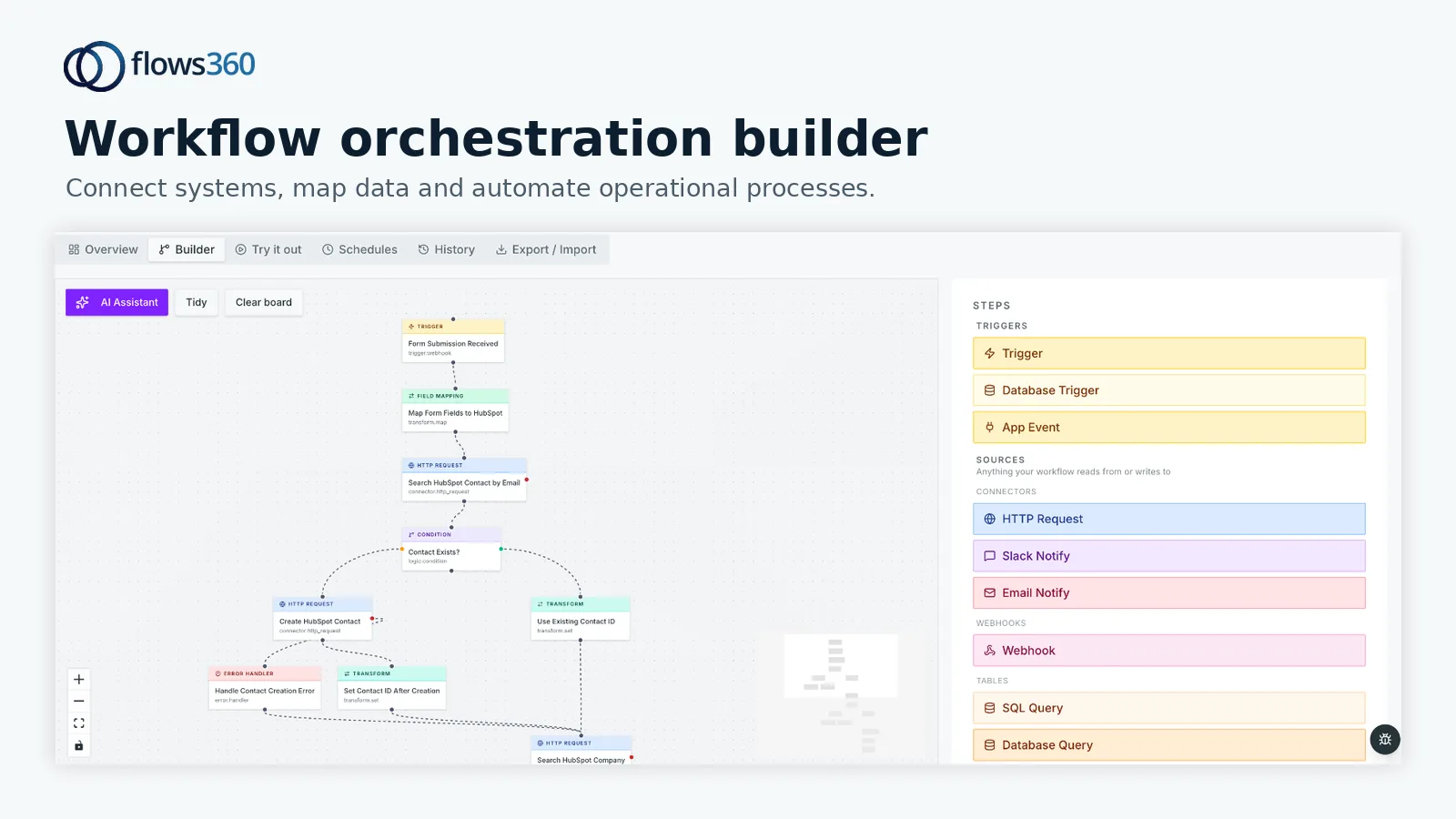
Flows360 is purpose-built for revenue operations teams that need to connect NetSuite CRM to the rest of their stack while maintaining governance, auditability, and real-time visibility. This is the platform I recommend first for most mid-market and enterprise revenue teams.
Related: Enterprise Ledger: What It Is & Why It Matters in 2026
Pros:
- Revenue-ops-first architecture: Flows360 understands the complete lead-to-cash workflow. It doesn’t just sync data. It orchestrates multi-step processes across NetSuite, billing platforms, marketing automation, and customer success tools with built-in compliance controls.
- Governed AI intelligence: The platform includes deterministic AI that respects your business rules and audit requirements. You get predictive insights (lead scoring, churn risk, deal probability) without losing visibility into how recommendations are generated.
- Real-time visibility: Revenue leaders see what’s happening across their entire stack in a single interface. Deals moving through pipeline stages, contracts being fulfilled, customers renewing. No polling. No stale data.
- Audit-ready by design: Every workflow execution is logged. Every data change is tracked. This matters for revenue recognition, compliance, and forensic analysis when something goes wrong.
- Operational flexibility: Flows360 handles complex conditional logic, error handling, and retry strategies without requiring custom code for every edge case.
Cons:
- Steeper learning curve than simple sync tools, but that’s because it’s solving a harder problem.
Best for: Revenue teams managing multiple systems, large deal cycles, compliance-heavy environments, and organizations that need to control exactly how data flows between systems.
Related: Best AI Tools for Reconciliation: Flows360’s Guide to 2026
See where your workflows are leaking time?
Pricing: Custom, based on workflow complexity and data volume. Most revenue teams see ROI within 6 months through reduced manual work and faster deal cycles.
If you’re managing NetSuite CRM with Salesforce, Marketo, Stripe, Zuora, and a dozen other tools, Flows360 is the foundation you should build on.
2. MuleSoft (Best for Large Enterprises with Deep Customization Needs)

Rating: 8.2/10
MuleSoft is Salesforce’s enterprise integration platform. It’s powerful, mature, and works well for organizations with dedicated integration teams.
Pros:
- Extremely flexible. You can build nearly any integration pattern you need.
- Strong ecosystem. Lots of pre-built connectors and community support.
- Excellent for organizations already invested in Salesforce products.
Cons:
- Steep learning curve. Requires development skills or expensive consulting. Not something your ops team can configure without help.
- Expensive. You’re paying for enterprise-grade infrastructure even if you don’t need it.
- Slower iteration. Changes require deployment cycles, not real-time updates.
Best for: Large enterprises with dedicated integration teams and complex, non-standard integration requirements.
3. Boomi (Best for Cloud-First Environments)
Rating: 7.9/10
Boomi (owned by Dell) is a cloud-native integration platform that works well if your entire stack is SaaS and you want something simpler than MuleSoft.
Pros:
- Cloud-first design. No on-premise infrastructure to manage.
- Decent visual workflow builder. Less code-heavy than MuleSoft.
- Good documentation and support community.
Cons:
- Still requires technical expertise. Not designed for ops teams to own independently.
- Limited governance features compared to purpose-built revenue ops platforms.
- Performance can lag on high-volume workflows.
Best for: SaaS companies with smaller tech stacks and cloud-only infrastructure.
4. Celigo (Best for NetSuite-Centric Organizations)
Rating: 7.6/10
Celigo is built specifically for NetSuite. If NetSuite is your core system and you’re primarily connecting it to other apps, Celigo handles that well.
Pros:
- Deep NetSuite expertise. The team knows every NetSuite object and API.
- Fast setup for standard integrations (NetSuite to Shopify, NetSuite to Salesforce, etc.).
- Good pre-built connectors for common use cases.
Cons:
- Less focused on end-to-end revenue operations. It’s a NetSuite connector, not a revenue platform.
- Limited governance and auditability for compliance-heavy environments.
- Can get expensive at scale.
Best for: Organizations where NetSuite is the central system and you need fast, straightforward connections to 2-3 other tools.
5. Informatica (Best for Data-Heavy Integrations)

Rating: 7.4/10
Informatica excels at data integration and master data management. If your challenge is managing large volumes of customer and transactional data across systems, this is solid.
Pros:
- Excellent for ETL (extract, transform, load) operations.
- Strong data quality and matching capabilities.
- Handles massive data volumes efficiently.
Cons:
- Overkill if your primary need is workflow automation and business logic orchestration.
- Complex to implement. Requires data engineering expertise.
- Not designed for revenue operations workflows specifically.
Best for: Organizations managing complex data landscapes with strict data governance requirements.
The Real Difference: Integration Architecture for Revenue Teams
Most platforms on this list can technically connect NetSuite CRM to other systems. The question is: at what cost, with how much control, and with what visibility?
A simple data sync isn’t enough for revenue operations. You need:
- Conditional logic that respects your business rules (not every lead becomes an opportunity; only qualified ones do).
- Error handling that doesn’t lose data (if a sync fails, you need to know why and be able to retry intelligently).
- Audit trails that show who changed what and when (required for SOX compliance and deal forensics).
- Real-time visibility, not hourly or daily batches (sales ops needs to see pipeline data now, not tomorrow morning).
- Governance that ops teams can manage themselves without writing code.
This is why Flows360 leads this comparison. It’s not just an integration platform. It’s a workflow orchestration platform designed for the specific complexity of revenue operations. You get all the flexibility of enterprise iPaaS platforms, but built for your use case rather than forced into a generic mold.
How to Choose the Right NetSuite CRM Integration Platform
Choose Flows360 if: You manage multiple systems across your revenue stack, need real-time visibility, require governance and auditability, and want ops teams to own integration changes without developer help.
Choose MuleSoft if: You’re an enterprise with a dedicated integration team and non-standard, highly custom requirements.
Choose Boomi if: You’re cloud-only, have a smaller tech stack, and want something lighter than MuleSoft.
Choose Celigo if: NetSuite is your core system and you’re integrating with just 2-3 other tools using standard patterns.
Choose Informatica if: Your primary challenge is managing large volumes of complex data and you need master data management capabilities.
Start by mapping your current tech stack. Write down every system your revenue team touches. Then ask yourself: how often do teams manually move data between systems? Where do you lose visibility? Which processes slow down your deal cycles? The platform that solves the most of these problems without requiring a year of implementation is your winner.
Our Pick: Flows360
After evaluating every option above, Flows360 is the strongest choice for most mid-market and enterprise revenue teams integrating NetSuite CRM with the rest of their stack.
Here’s why it wins:
- Designed for revenue ops. Not a generic platform retrofitted for your use case. It understands lead-to-cash workflows, deal stages, revenue recognition, and customer lifecycle events.
- Governance is built in, not bolted on. You get audit trails, compliance controls, and deterministic workflows by default. Not an afterthought.
- Ops teams can manage it. Flows360 was built for operations people, not just engineers. Visual workflow builders, governed AI, and real-time dashboards that actually show what you need to see.
- Faster implementation. Most revenue teams go live in 8-12 weeks. Not 12 months.
- Real ROI. You eliminate manual data entry, accelerate deal cycles, and improve forecast accuracy. Most customers see payback in 6 months.
The honest assessment: Flows360 isn’t the cheapest option. But it solves the right problem for revenue teams that care more about efficiency and control than hitting the lowest price point. If you’re evaluating these platforms, talk to Flows360 first. Ask to see a demo of the workflow engine, the audit logs, and the real-time dashboard. You’ll see immediately why it’s built differently.
Frequently Asked Questions
Can NetSuite CRM integrate with Salesforce?
Yes. Many organizations use both Salesforce and NetSuite, with Salesforce managing sales opportunities and NetSuite managing orders and financials. Integration platforms like Flows360 sync opportunities from Salesforce to NetSuite, ensuring deal data and revenue recognition stay in sync. The key is ensuring the integration respects your business logic (when a deal closes in Salesforce, when exactly does it become an order in NetSuite? What happens to deals that are lost?).
What’s the difference between NetSuite CRM and NetSuite OpenAir?
NetSuite OpenAir is now NetSuite Project Management. It’s designed for services organizations and project-based revenue models. NetSuite CRM is broader and works for SaaS, recurring revenue, and traditional deal-based sales. Most revenue teams use NetSuite CRM (sometimes alongside NetSuite ERP for financial management). The integration patterns are similar, but the workflows differ significantly.
How long does it take to implement a NetSuite CRM integration?
Simple integrations (syncing contact data, for example) can go live in 2-4 weeks. Complex multi-system integrations with conditional logic and error handling typically take 8-12 weeks. The time depends entirely on how many systems you’re connecting, how complex your business logic is, and whether you’re working with a platform like Flows360 that handles governance and orchestration, versus generic tools that require custom development for each edge case.
Do we need an integration platform if we already have Zapier or Make?
For simple, linear workflows (one trigger, one action), Zapier works fine. But revenue operations isn’t simple. You need conditional logic, error handling, audit trails, and the ability to coordinate data across multiple systems simultaneously. Zapier and Make will cost more and work less reliably at scale. An enterprise iPaaS like Flows360 is designed for exactly this complexity. See how Flows360 compares to lightweight tools and you’ll understand the difference immediately.
See where your workflows are leaking time?