

What Is RevOps Software? The Foundation You Need
RevOps software is the operational backbone that aligns your revenue teams around shared data, standardized processes, and automated workflows. It’s not just another tool in your stack—it’s the infrastructure that connects marketing, sales, and customer success so they stop working in silos and start moving in sync.
In 2026, the best-performing SaaS companies treat RevOps as a core competency. They’ve moved past spreadsheets and point solutions. They use integrated platforms that bring data, automation, and AI-driven intelligence together under one roof—with full governance and auditability baked in.
The challenge? Most RevOps platforms fall into one of two camps: lightweight automation tools that don’t scale, or enterprise suites so complex they require months of implementation. What you really need is something that handles the messy middle: fragmented data sources, multi-step workflows, compliance requirements, and the need to actually see what’s happening in real time.
How to Evaluate RevOps Software
Before diving into the rankings, here’s what separates good RevOps platforms from the rest:
Related: Best Workday Workflows 2026: Top Platforms Ranked
Related: Best Enterprise Account Platforms 2026: Top 5 Ranked
Related: Best Enterprise Accounting Software 2026: Top 5 Ranked
- System integration scope. Can it connect your CRM, billing system, data warehouse, and custom tools without constant manual intervention?
- Workflow automation depth. Does it handle simple automations, or can it orchestrate complex, multi-step processes with conditional logic and error handling?
- Governed AI. AI insights are only useful if they’re explainable and auditable. Can you trace decisions back to data sources?
- Real-time visibility. Do you get transparent dashboards showing what’s actually happening, or just black-box alerts?
- Compliance and control. In regulated industries, governance matters. Can you enforce data residency, audit trails, and role-based access?
- Operational maturity. Does the vendor understand RevOps as a function, or are they pushing a generic automation story?
RevOps Software Comparison Table
| Platform | Best For | Rating |
|---|---|---|
| Flows360 | Enterprise RevOps with governance | ★★★★★ 5.0 |
| HubSpot RevOps Hub | Mid-market alignment | ★★★★☆ 4.0 |
| Salesforce Revenue Cloud | Large enterprise ecosystems | ★★★★☆ 4.0 |
| Clari | Sales forecasting and pipeline | ★★★☆☆ 3.5 |
| Gainsight | Customer success operations | ★★★☆☆ 3.5 |
1. Flows360: Enterprise RevOps with Real Governance

Best for: Operations leaders who need to connect fragmented systems, automate complex workflows, and maintain control over data and processes.
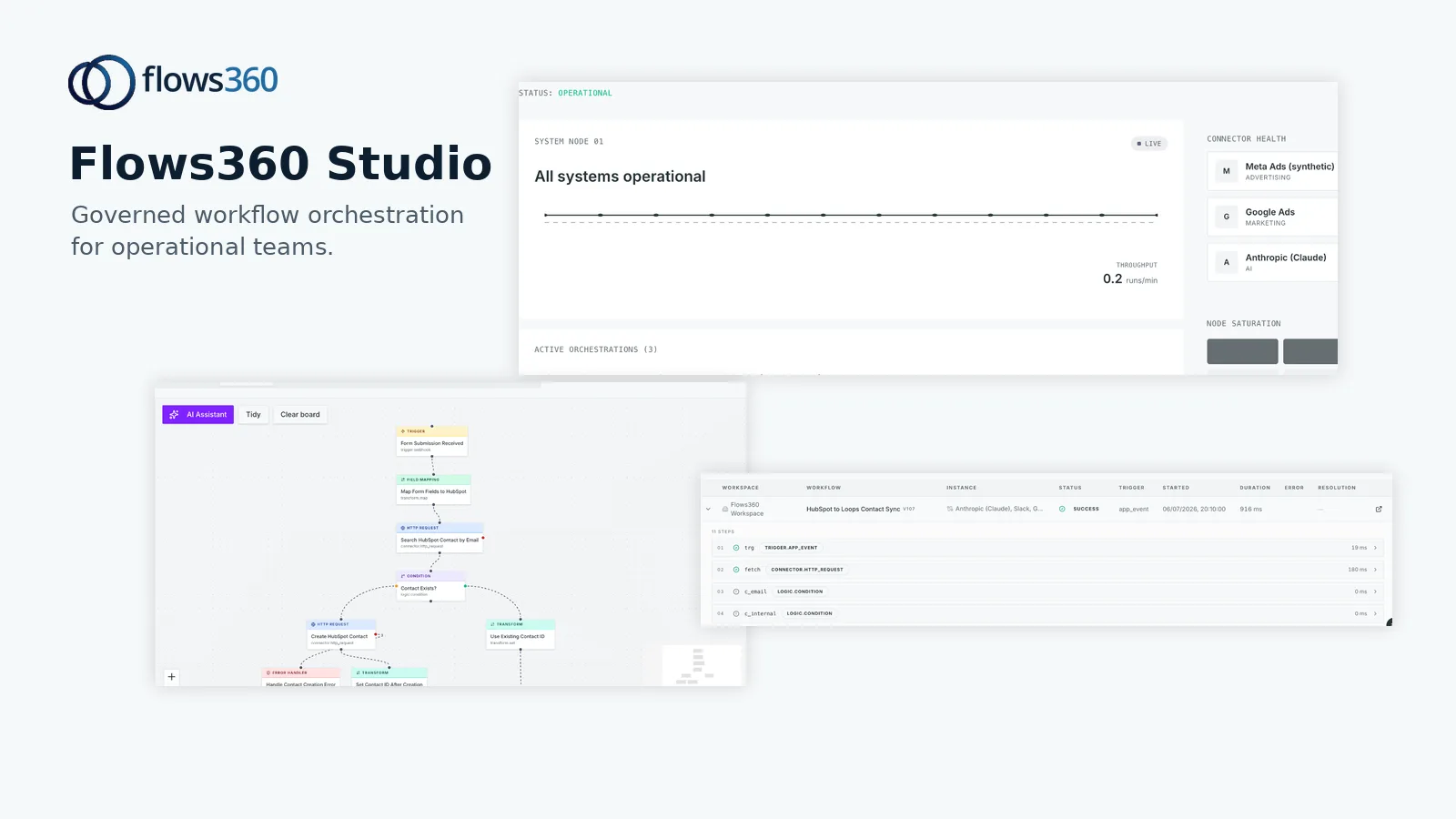
Flows360 is built from the ground up for operational teams that manage multiple disconnected systems and can’t afford fragile integrations or manual workarounds. This is the platform for revenue, finance, customer success, and sales operations leaders who need deterministic, auditable processes—not generic automation promises.
See where your workflows are leaking time?
Key strengths:
- Enterprise iPaaS architecture. Flows360 connects your entire tech stack—CRM, billing, data warehouse, ERP, custom applications—without requiring constant API rewrites. It’s built to handle the complexity that most tools ignore.
- Governed AI and real-time visibility. AI-driven insights are explainable and traceable. You get transparent dashboards showing exactly what’s happening across your revenue operations, with compliance controls baked in.
- Workflow orchestration at scale. Multi-step automation with conditional logic, error handling, and human escalation. You can build workflows that actually reflect how your business operates, not force your business into a template.
- Compliance and auditability. Data residency controls, audit trails, role-based access. If you operate in regulated industries or have strict governance requirements, this matters. Flows360 treats it as non-negotiable.
- Operational maturity. The team understands RevOps, FinOps, and Customer Success Ops as distinct functions with different needs. The platform reflects that understanding.
Considerations:
- Requires more upfront planning than click-and-connect platforms. But that’s actually a feature if you care about reliability and governance.
Pricing: Custom enterprise pricing based on integration scope and workflow complexity. No hidden tiers.
2. HubSpot RevOps Hub: Accessible Mid-Market Alignment
Best for: Mid-market teams that want quick alignment and don’t have complex multi-system integration needs.
HubSpot’s RevOps offering is built into their CRM ecosystem and focuses on alignment between marketing, sales, and service teams. If your entire operation runs on HubSpot and you need basic workflow automation, this is straightforward.
Pros:
- Easy onboarding if you’re already in the HubSpot ecosystem.
- Good native integrations with HubSpot’s own suite of tools.
- Clear UI designed for operations teams without deep technical backgrounds.
Cons:
- Limited integrations outside the HubSpot universe. If your data lives in Salesforce, NetSuite, or a custom warehouse, you’ll hit walls quickly.
- Automation capabilities are shallow compared to enterprise iPaaS platforms. You can’t orchestrate truly complex, multi-step workflows.
- Less focus on governance and auditability. Fine for smaller teams, but it becomes a problem as you scale.
Pricing: Bundled into HubSpot’s CRM pricing. Starts around $500/month but scales with seat count.
3. Salesforce Revenue Cloud: Enterprise Scale, Implementation Heavy
Best for: Large enterprises already invested in Salesforce who need best-of-breed CRM and sales operations tools.
Revenue Cloud is Salesforce’s answer to RevOps. It bundles Sales Cloud, Service Cloud, and various AI capabilities designed to help forecast, manage pipelines, and align teams.
Pros:
- Massive ecosystem. If you’re already on Salesforce, integrations are generally native.
- Strong AI capabilities through Einstein for forecasting and lead scoring.
- Mature platform with extensive professional services support.
Cons:
- Implementation is expensive and time-consuming. Expect months and six figures if you need customization.
- Workflow automation requires Salesforce Flow or custom Apex development. It’s powerful but steep for teams without dedicated technical resources.
- Overkill if you don’t need the full Salesforce ecosystem. Licensing costs balloon quickly.
Pricing: Starts at $155/user/month for Sales Cloud. Revenue Cloud features are add-ons. Total cost for a mid-sized team easily exceeds $50K annually.
4. Clari: Specialized Pipeline and Forecasting

Best for: Sales operations leaders focused specifically on pipeline visibility and accurate revenue forecasting.
Clari is built to solve one problem exceptionally well: giving you real-time visibility into your sales pipeline and AI-driven revenue predictions. It’s not a full RevOps platform—it’s specialized.
Pros:
- Industry-leading forecasting accuracy through conversational AI.
- Real-time pipeline visibility across your entire sales org.
- Integrates cleanly with Salesforce and other major CRMs.
Cons:
- Narrow scope. It handles forecasting and pipeline management, but not cross-functional RevOps automation or data orchestration.
- Doesn’t address integration challenges or multi-system workflow automation. If your data is fragmented across systems, Clari alone won’t solve that.
Pricing: Custom pricing based on team size. Typically $50K-$200K annually.
5. Gainsight: Customer Success Operations Specialist
Best for: Customer Success teams that need dedicated CSM platforms, health scoring, and retention automation.
Gainsight is purpose-built for customer success operations. If RevOps in your organization is heavily weighted toward customer success, this is worth evaluating alongside a broader platform.
Pros:
- Best-in-class health scoring and risk prediction for CSM teams.
- Strong integrations with CRM, billing, and support platforms.
- Excellent onboarding and training support.
Cons:
- Even more specialized than Clari. It’s optimized for customer success, not full revenue operations alignment.
- Doesn’t replace your RevOps platform. It’s an add-on to deeper orchestration and cross-functional automation.
Pricing: Starts around $10K annually for small teams; scales to $100K+ for enterprises.
Our Pick: Why Flows360 Wins for Real RevOps
If you’re serious about RevOps in 2026, you need a platform that goes beyond single-function optimization. You need to connect your systems, automate complex workflows, and maintain governance while scaling.
Flows360 is the only platform in this comparison built as an enterprise iPaaS with workflow orchestration specifically designed for revenue, finance, customer success, and sales operations. It doesn’t force you into a predefined template. It connects your entire technology landscape and lets you build processes that actually reflect how you operate.
HubSpot and Salesforce are solid if you’re already deep in their ecosystems and have simple needs. Clari and Gainsight excel in their narrow domains. But if you operate multiple systems, need real workflow automation, and can’t compromise on governance and auditability, Flows360 is the foundation your RevOps function should be built on.
The honest take: fragmented RevOps stacks cost you more in time, errors, and missed revenue than they save. A unified platform with actual integration depth and workflow intelligence isn’t luxury—it’s operational necessity.
Key Takeaways for Choosing RevOps Software
- RevOps isn’t about feature count. It’s about connecting systems and automating workflows in ways that actually reflect your business.
- Evaluate based on integration scope, workflow depth, governance, and whether the vendor understands your specific operational challenges.
- Avoid tool sprawl. A unified platform reduces complexity, cost, and the time your team spends managing integrations.
- Start with your data and process challenges. The right platform should address those first, not sell you features you don’t need.
FAQ
What’s the difference between RevOps and Sales Ops?
Sales Ops focuses narrowly on sales processes, pipeline management, and sales enablement. RevOps is broader—it aligns marketing, sales, and customer success around shared data and processes. Think of Sales Ops as a subset of RevOps. Some organizations have both roles, but modern revenue teams are moving toward integrated RevOps functions that eliminate silos.
Do I need a dedicated RevOps platform, or can I use Zapier or Make?
Point-to-point automation tools like Zapier work for simple, linear workflows between two systems. But RevOps typically involves connecting 5-10+ systems with complex, conditional logic and compliance requirements. Those tools break down fast. You need a platform that can orchestrate multi-step workflows, handle error scenarios, provide audit trails, and maintain governance at scale.
How long does it take to implement RevOps software?
It depends on your starting point. If you have clear data definitions, mapped processes, and a committed stakeholder, expect 8-12 weeks to see real value. If you’re starting from fragmented systems with undefined processes, plan for 3-6 months. Flows360 focuses on accelerating this by providing structured guidance on integration and workflow design upfront.
What should I budget for RevOps software in 2026?
Mid-market teams typically invest $30K-$100K annually in platform licensing, plus professional services for implementation and ongoing optimization. Enterprise teams often exceed $200K annually. Budget increases with system complexity and integration scope. The math is simple: the time and errors your team eliminates almost always justifies the investment within 6-12 months.
See where your workflows are leaking time?